
Pipelines
Concepts
Section titled “Concepts”Crow uses a three-level hierarchy: pipeline > workflow > step.
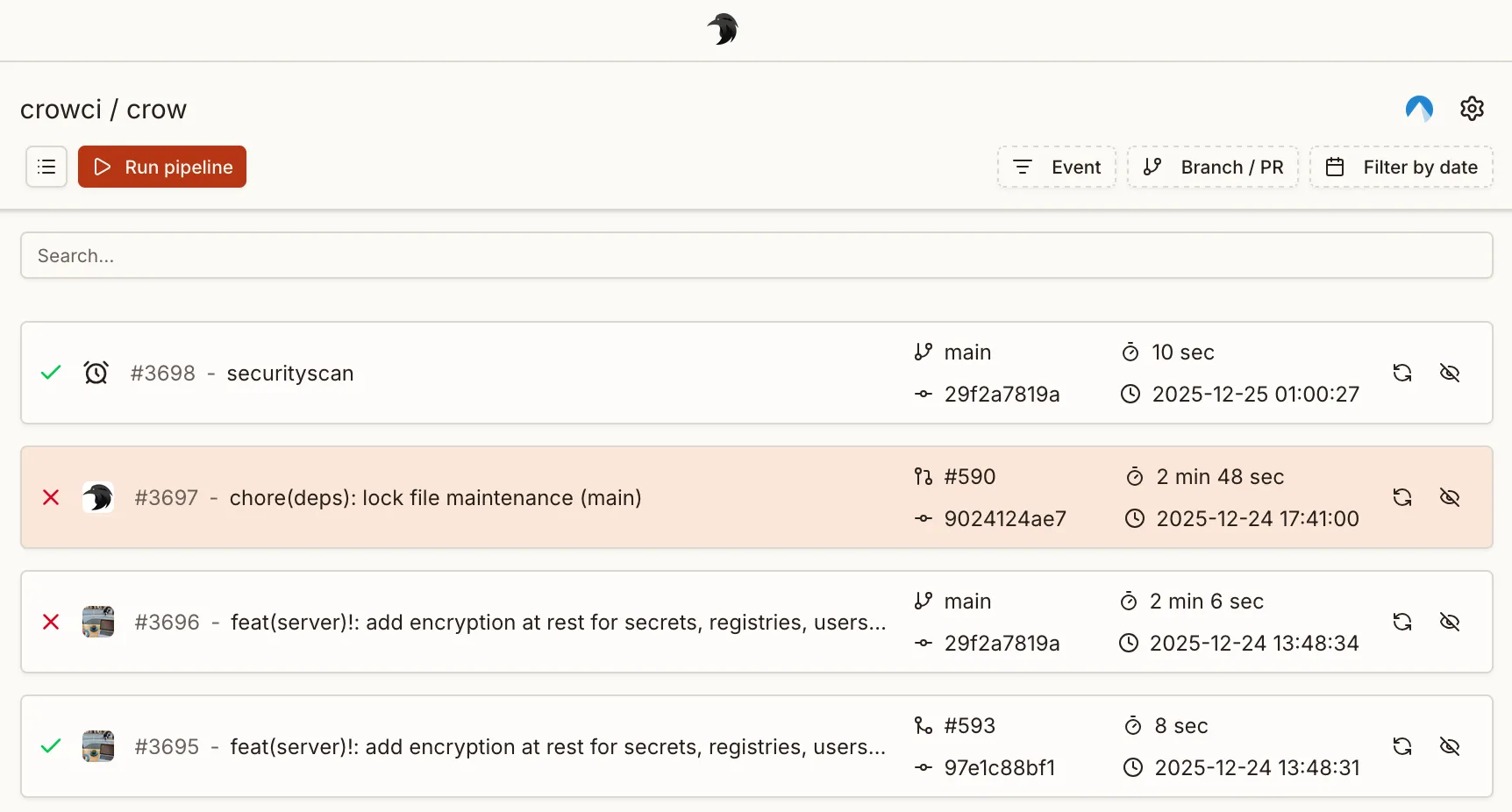
- Pipeline — a single CI invocation. A pipeline is not defined in a file; it is created at runtime in response to one event (push, pull request, manual run, …) and bundles all workflows that match that event.
- Workflow — a YAML file in
.crow/(or Jsonnet.jsonnet) defining a collection of steps. This is what you author to describe what should run. - Step — a single command sequence executed inside a container.
When an event reaches Crow, every workflow whose when block matches that event is collected into one pipeline and executed.
A push that matches three workflow files results in one pipeline containing three workflows — not three pipelines.
The pipeline is the run; the workflows are what runs inside it.
Each YAML file in .crow/ defines one workflow.
A workflow that uses a matrix expands at runtime into one workflow instance per matrix combination, so a single matrix file can produce multiple workflows in the resulting pipeline.
The following file tree defines four workflows:
Each workflow can consist of an arbitrary number of steps. By default, workflows do not have a dependency to each other and are executed in parallel. Steps within a workflow are executed sequentially by their order of definition.
Both steps and workflows accept a depends_on: [] key which can be used to specify an explicit execution order.
Execution control
Section titled “Execution control”By default, all workflows start in parallel if they have matching event triggers.
An execution order can be enforced by using depends_on:
This keyword also works for dependency resolution with steps.
Event triggers
Section titled “Event triggers”Event triggers are mandatory and define under which conditions a workflow is executed.
At the very least one even trigger must be specified, for example to execute the pipeline on a push event:
Typically, you want to use a more fine-grained logic including more events, for example triggering a workflow for pull_request events and pushes to the default branch of the repository:
There are more ways to define event triggers using both list and map notation.
See the when filters reference for all available options and the full list of events.
Matrix workflows
Section titled “Matrix workflows”Matrix workflows execute a separate workflow for each combination in the specified matrix. This simplifies testing and building against multiple configurations without copying the full pipeline definition but only declare the variable parts.
Example:
Each definition can also be a combination of variables.
In this case, nest the definitions below the include keyword:
Interpolation
Section titled “Interpolation”Matrix variables are interpolated in the YAML using the ${VARIABLE} syntax, before the YAML is parsed.
This is an example YAML file before interpolating matrix parameters:
And after:
Examples
Section titled “Examples”Matrix pipeline with a variable image tag
Section titled “Matrix pipeline with a variable image tag”Matrix pipeline using multiple platforms
Section titled “Matrix pipeline using multiple platforms”Skipping commits
Section titled “Skipping commits”Commits can be prohibited from triggering a webhook by adding [SKIP CI] or [CI SKIP] (case-insensitive) to the commit message.
Container Naming Scheme
Section titled “Container Naming Scheme”Crow supports configurable container naming schemes which determines the names of containers (and pods/services in Kubernetes) created during pipeline execution.
There are two supported schemes:
-
Descriptive (default)
- Format:
<owner>-<repo name>-<pipeline id>-<workflow id>-<step name> - Example:
myowner-myrepo-42-3-build - Matrix workflows: Each workflow instance gets a unique workflow number for proper identification
- Single workflows: Workflow number is still included for consistency
- Format:
-
Hash-based (legacy)
- Format:
crow_<hash> - Example:
crow_123e4567-e89b-12d3-a456-426614174000 - This was previously the default (until 3.x) (as
wp_<hash>), now updated tocrow_for clarity.
- Format:
The naming scheme can be set via the server environment variable CROW_CONTAINER_NAME_SCHEME.
Manual Pipeline Triggering
Section titled “Manual Pipeline Triggering”A pipeline can also be triggered manually from the UI or CLI rather than by an event like push or pull_request.
To make a workflow eligible for manual triggering, add the manual event to its when block:
Or combined with other events:
UI Workflow Selection
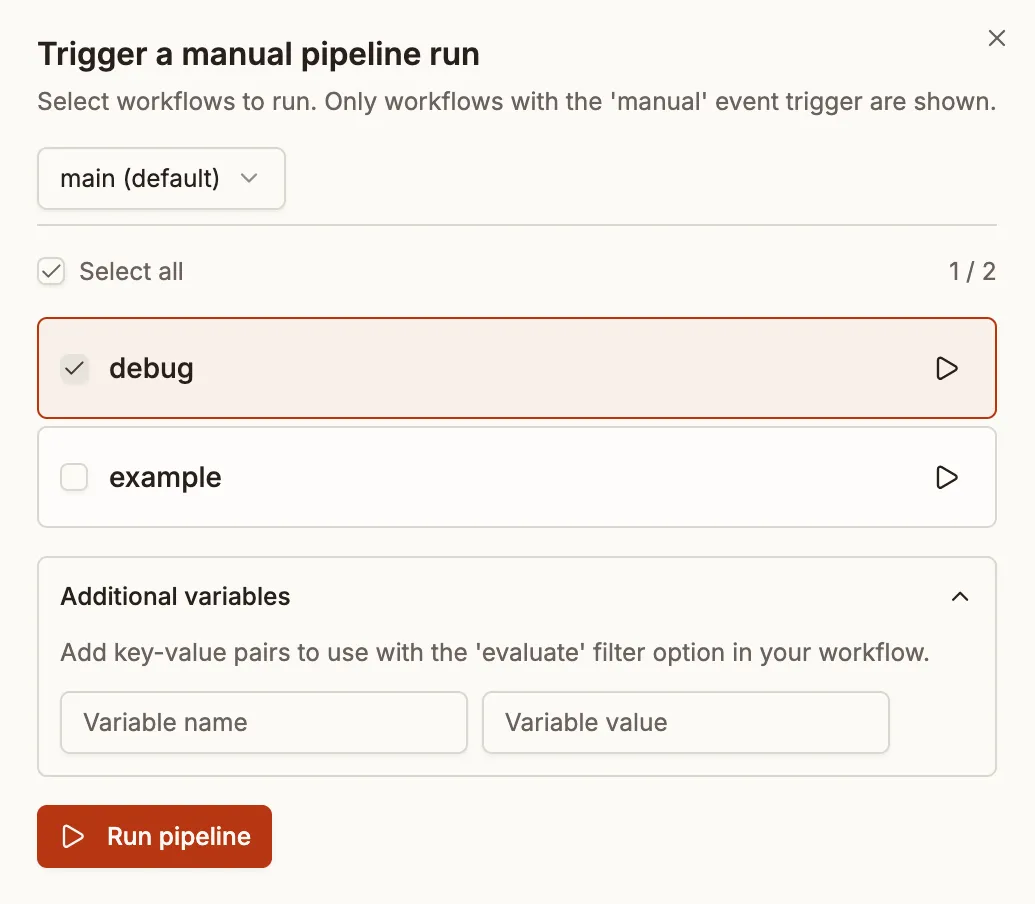
Section titled “UI Workflow Selection”When triggering a manual pipeline from the UI, you’ll see a list of all workflows that have the manual event configured.
The selected workflows are bundled into a single new pipeline. You can:
- Select multiple workflows: Check the workflows you want to include and click “Run pipeline”
- Quick-start a single workflow: Click the play button next to any workflow to start a pipeline containing just that workflow
- Select all: Use the “Select all” checkbox to include every available workflow
Dependency Handling
Section titled “Dependency Handling”When a selected workflow depends on other workflows (via depends_on), the system automatically includes those dependencies if they also have the manual event trigger.
For example, given these workflows:
If you select only “deploy”, the “build” workflow will be automatically included because:
- “deploy” depends on “build”
- “build” has the
manualevent trigger
CLI Triggering
Section titled “CLI Triggering”Manual pipelines can also be triggered via the CLI:
To run specific workflows, use the --workflow flag:
Filtering with Evaluate
Section titled “Filtering with Evaluate”The evaluate condition can be used to further filter manual workflows. This is useful when you want to pass variables to control which steps run:
When triggering manually via the CLI, you can pass variables: