
Deployment
Deployments are manually triggered pipeline runs for deploying successful builds to specific environments like staging or production.
Prerequisites
Section titled “Prerequisites”Deployments must be enabled in the repository settings:
-
Open repository settings
Go to Repository Settings → General
-
Enable deployments
Check the Deployments option
Once enabled, a Deploy button appears on finished pipelines.
Permissions
Section titled “Permissions”Who can enable deployments
Section titled “Who can enable deployments”Only repository admins can enable or disable deployments in the repository settings. Admin permission is synced from the forge (GitHub, GitLab, Gitea, etc.).
Who can trigger deployments
Section titled “Who can trigger deployments”By default, any user with push permission to the repository can trigger deployments.
Team-based restrictions
Section titled “Team-based restrictions”For stricter control, you can restrict deployments to members of a specific forge team:
-
Open repository settings
Go to Repository Settings → General
-
Enable deployments
Check the Deployments option
-
Set the team restriction
In the Restrict to Team field, enter the team name (e.g.,
crowci-deploy-team)
When configured, only members of the specified team can trigger deployments. The team membership is verified against the forge at the time of deployment.
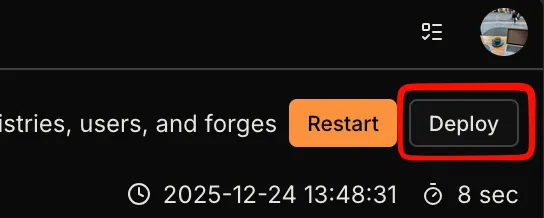
Triggering a Deployment
Section titled “Triggering a Deployment”Click the Deploy button to open the deployment dialog:
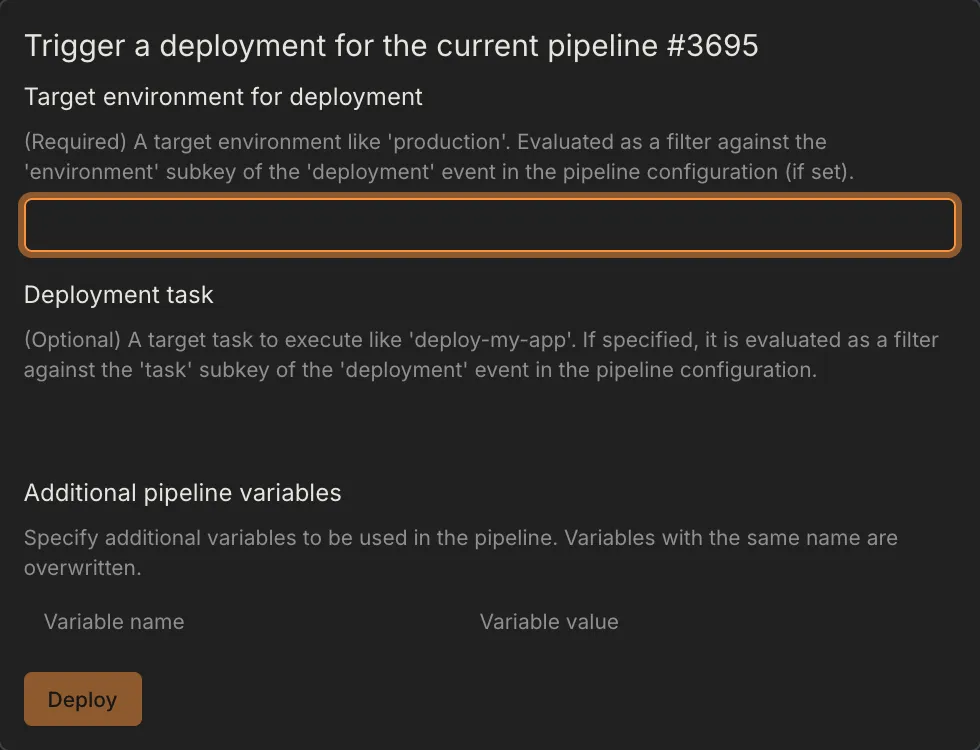
| Field | Required | Description |
|---|---|---|
| Environment | Yes | Target environment (e.g., production, staging) |
| Task | No | Secondary filter to narrow down deployment jobs |
Filtering Deployments in Workflows
Section titled “Filtering Deployments in Workflows”Use the deployment event in your workflow’s when block to control which steps run during deployments.
Basic Environment Filter
Section titled “Basic Environment Filter”when: event: deployment environment: productionEnvironment with Task Filter
Section titled “Environment with Task Filter”when: event: deployment environment: production task: migrate-dbGlob Patterns
Section titled “Glob Patterns”Both environment and task support glob patterns:
when: event: deployment environment: prod-* task: deploy-*Include/Exclude Syntax
Section titled “Include/Exclude Syntax”For complex filtering, use include/exclude lists:
when: event: deployment environment: include: [production, staging] exclude: [production-test]