
Secrets
Crow CI provides an integrated secret store.
These secrets can be passed securely to individual steps using the from_secret keyword.
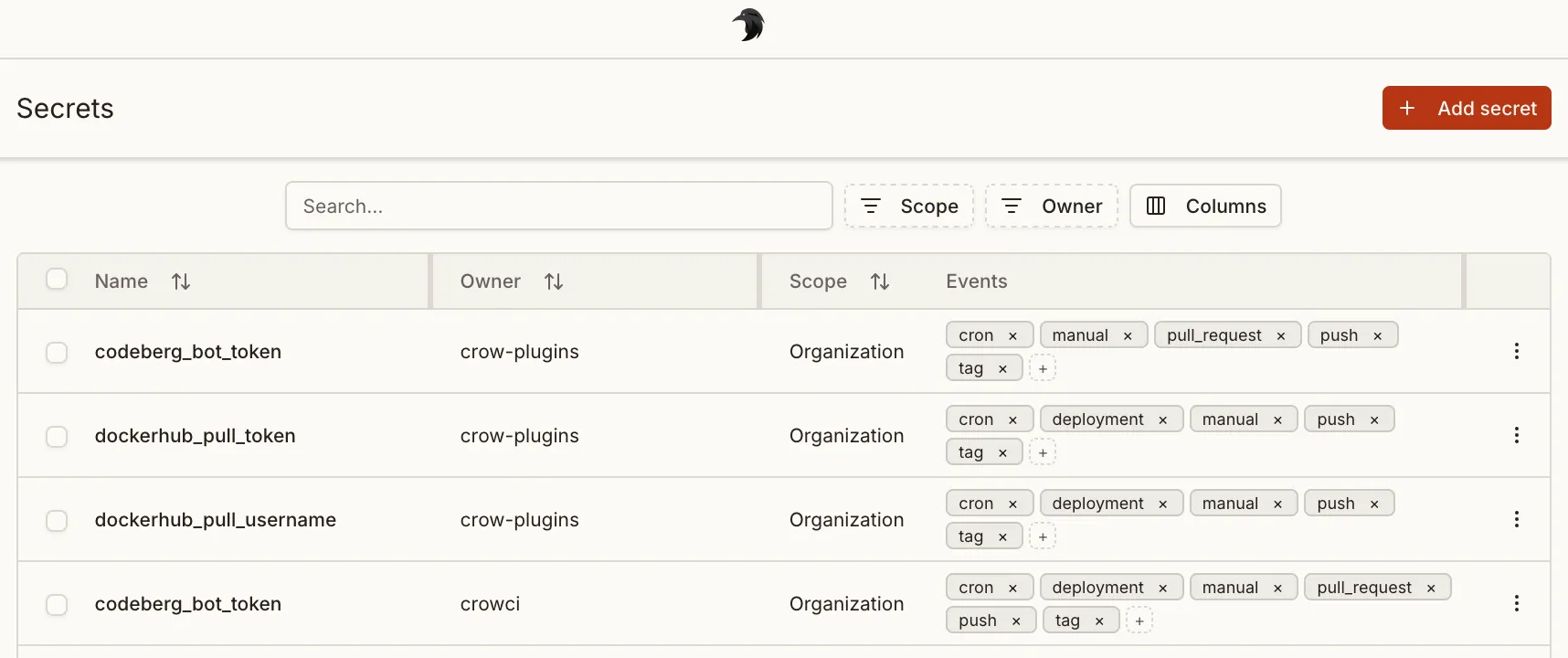
Levels
Section titled “Levels”Three different levels of secrets are available:
- Repository secrets: Available to all workflows of a repository.
- Organization secrets: Available to all workflows of an organization.
- Global secrets: Global secret are available to all pipelines of the entire Crow CI instance. Can only be set by instance administrators.
Defining secrets
Section titled “Defining secrets”Secrets are defined using the from_secret: keyword in the environment: section:
Secrets names can be uppercase or lowercase. The same applies to the environment variables they are assigned to.
Secrets can also be used for settings: in plugins:
Filtering
Section titled “Filtering”To prevent secrets from potential abuse in arbitrary steps, they can be limited to specific plugins in the repository settings.
Plugins offer the advantage of not being able to execute arbitrary commands (in contrast to normal steps), and by this inherently prohibit the possibility of exposing secrets in any kind of way.
Adding secrets via CLI
Section titled “Adding secrets via CLI”Secrets can also be added via the CLI.
By default, secrets will be available without any restriction:
Limit it to a specific plugin:
The --image can also be passed multiple times.
Limit to specific events:
Secret can also be loaded from a file on disk. This can be useful for multi-line secrets like SSH keys:
Sharing secrets across repos and orgs
Section titled “Sharing secrets across repos and orgs”A secret can be shared with multiple repositories and organizations without duplicating its value. Every secret has a single first owner — the repo, org, or global scope where it was originally created. Additional repos and orgs can be added as sharing targets, granting them read access to the secret during pipeline execution.
Resolution priority
Section titled “Resolution priority”When a pipeline resolves secrets, the following priority order applies (highest first):
- Repository-level secrets
- Organization-level secrets
- Global secrets
- Shared secrets
If a repo has its own secret named DEPLOY_KEY and also receives a shared secret with the same name, the repo’s own secret takes precedence.
Conflict prevention
Section titled “Conflict prevention”The system prevents assigning two different secrets with the same name to the same repo or org. If you attempt to share a second secret whose name conflicts with an already-shared (or natively owned) secret at that target, the request will be rejected.
Ownership transfer
Section titled “Ownership transfer”The first owner of a secret can be transferred to any other repo or org. When transferring ownership, the previous owner can optionally be retained as a sharing target so it keeps access to the secret.
API reference
Section titled “API reference”The following API endpoints manage secret sharing:
| Method | Path | Description |
|---|---|---|
GET | /api/v1/secret-targets/{secret_id}/targets | List all sharing targets for a secret |
POST | /api/v1/secret-targets/{secret_id}/targets | Share a secret with a repo or org |
DELETE | /api/v1/secret-targets/{secret_id}/targets/{target_id} | Remove a sharing target |
PATCH | /api/v1/secret-targets/{secret_id}/owner | Transfer ownership to another repo or org |