
Deployment
Deployments are manually triggered pipeline runs for deploying successful builds to specific environments like staging or production.
Prerequisites
Section titled “Prerequisites”Deployments must be enabled in the repository settings:
- Go to Repository Settings → General
- Enable the Deployments option
Once enabled, a Deploy button appears on finished pipelines.

Triggering a Deployment
Section titled “Triggering a Deployment”Click the Deploy button to open the deployment dialog:
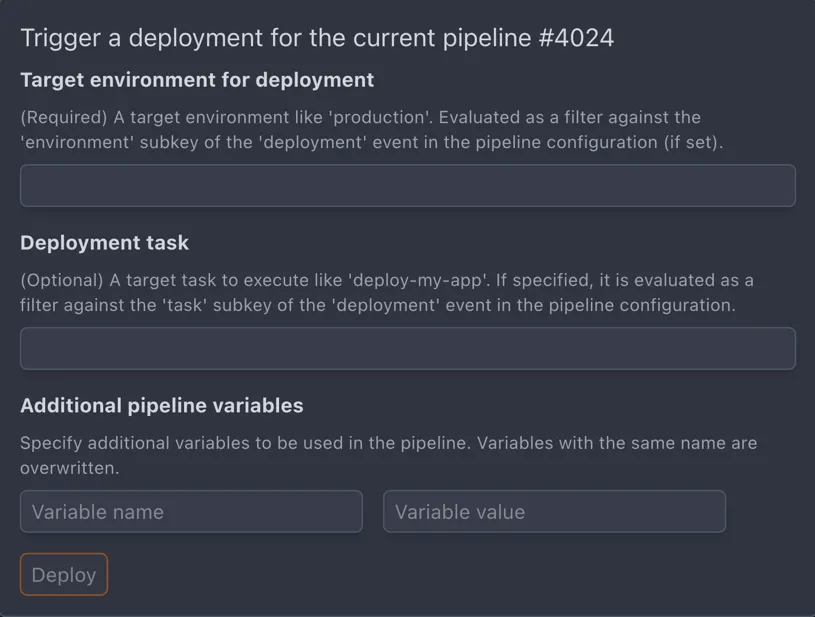
| Field | Required | Description |
|---|---|---|
| Environment | Yes | Target environment (e.g., production, staging) |
| Task | No | Secondary filter to narrow down deployment jobs |
Filtering Deployments in Workflows
Section titled “Filtering Deployments in Workflows”Use the deployment event in your workflow’s when block to control which steps run during deployments.
Basic Environment Filter
Section titled “Basic Environment Filter”when: event: deployment environment: productionEnvironment with Task Filter
Section titled “Environment with Task Filter”when: event: deployment environment: production task: migrate-dbGlob Patterns
Section titled “Glob Patterns”Both environment and task support glob patterns:
when: event: deployment environment: prod-* task: deploy-*Include/Exclude Syntax
Section titled “Include/Exclude Syntax”For complex filtering, use include/exclude lists:
when: event: deployment environment: include: [production, staging] exclude: [production-test]